

Minecraft gameplay
15102
15401
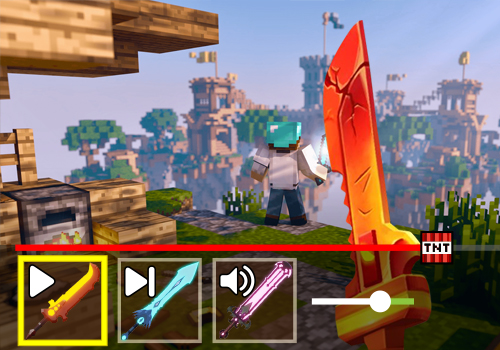
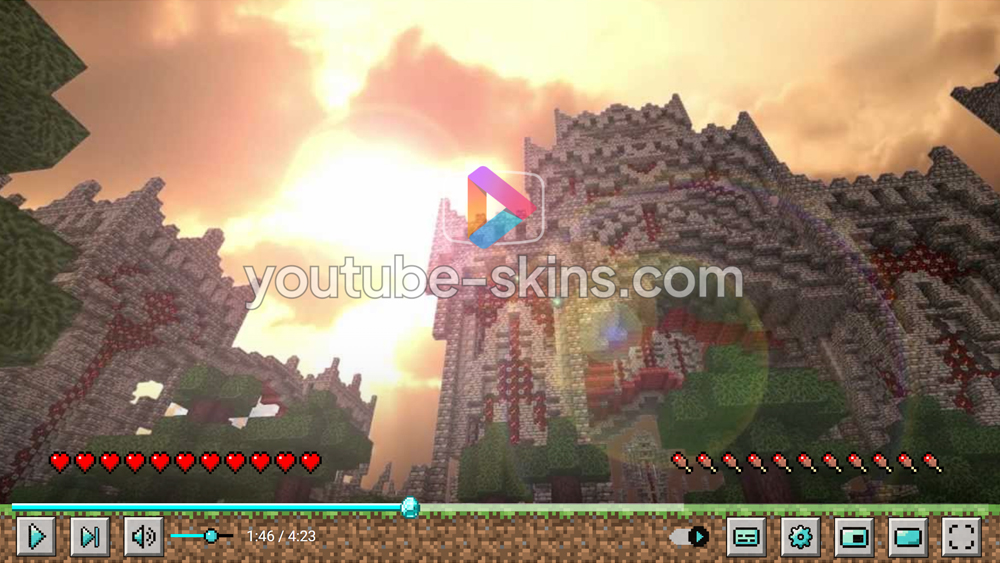
It is impossible to estimate what impact the Minecraft game has had on the entire gaming industry and in particular on the players themselves, who, regardless of age, adore this game. This is not surprising, because the game is ingenious in its simplicity. You can explore worlds or even create your own. An army of fans of the game will appreciate the opportunity to create the atmosphere of the game thanks to the Minecraft Youtube skin. We tried to work out as many details as possible, from the diamond Minecraft progress bar for YouTube player, to the elements of the gameplay itself.
What is in this skin
- Player buttons - play, pause, volume, settings, full screen - redrawn in the Minecraft gameplay style.
- A matching progress bar and volume slider.
- A custom gradient under the controls, so the bar fits the picture on any video.
- Decorations in the player corners.
How to apply this skin
- Add Skins for YouTube player to Chrome from the Chrome Web Store. It is free.
- Press Add on this page - the skin is saved in the extension and applied at once.
- Open any YouTube video. To switch skins or turn one off, click the extension icon next to the address bar.
Is this skin free?
Yes. Every skin on the site and the extension itself are free, with no account.
Does it work on a Chromebook?
Yes, wherever Chrome Web Store extensions are allowed. Nothing is downloaded.
Does the skin change YouTube itself?
Only the way the player looks in your browser. Videos, ads and your account are not touched; turn the extension off and the player is back to default.
Get the extensionFree · 130+ skins · works on Chromebook
Add