


Apple IOS MAC OS styled
4740
6277
Apple Inc. is an American technology company with an office in Cupertino, by far the most innovative and expensive company in the world. The huge popularity of devices with a proprietary interface has grown adherents of their style. If you are a fan of apple company devices - install Apple iOS YouTube skin and make your player design utilitarian.
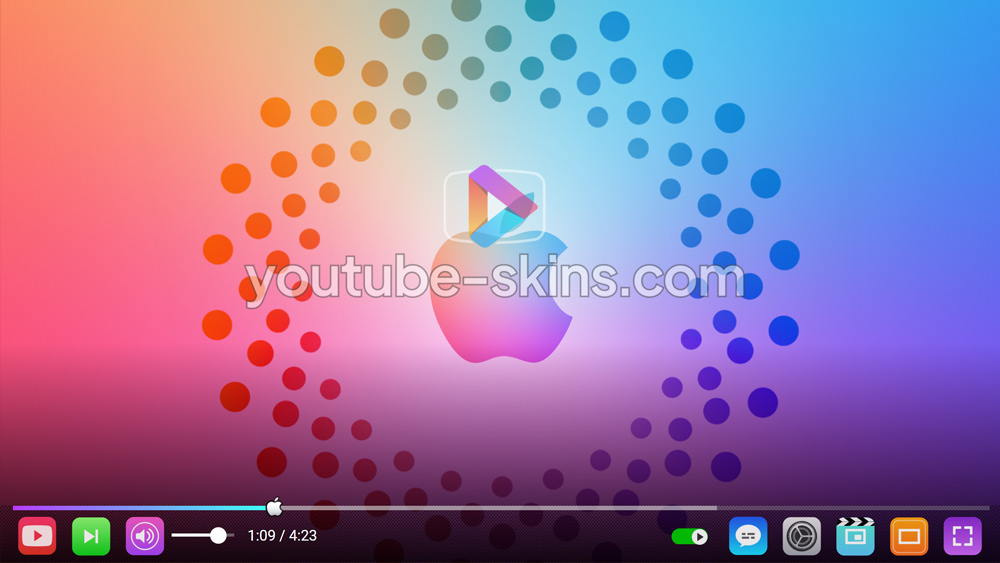
What is in this skin
- Player buttons - play, pause, volume, settings, full screen - redrawn in the Apple IOS MAC OS styled style.
- A matching progress bar and volume slider.
- A custom gradient under the controls, so the bar fits the picture on any video.
How to apply this skin
- Add Skins for YouTube player to Chrome from the Chrome Web Store. It is free.
- Press Add on this page - the skin is saved in the extension and applied at once.
- Open any YouTube video. To switch skins or turn one off, click the extension icon next to the address bar.
Is this skin free?
Yes. Every skin on the site and the extension itself are free, with no account.
Does it work on a Chromebook?
Yes, wherever Chrome Web Store extensions are allowed. Nothing is downloaded.
Does the skin change YouTube itself?
Only the way the player looks in your browser. Videos, ads and your account are not touched; turn the extension off and the player is back to default.
Get the extensionFree · 130+ skins · works on Chromebook
Add